
What is Anki?
Anki is a flashcard program that uses a spaced repetition system helping you remember vasts amount of information in the long term as efficiently and underwhelming as possible. It does so by optimizing memory retention by showing you flashcards you created right before you forget them, maximizing retention with minimal study time. In general, It's extremely efficient for learning anything from languages to complex medical facts.

Give it a try!
Click on the card to progress through the steps
Download
Choose your platform to install and start using Anki
Essential Deck
A flashcards deck designed to help beginners build a strong vocabulary foundation
Kaishi 1.5k
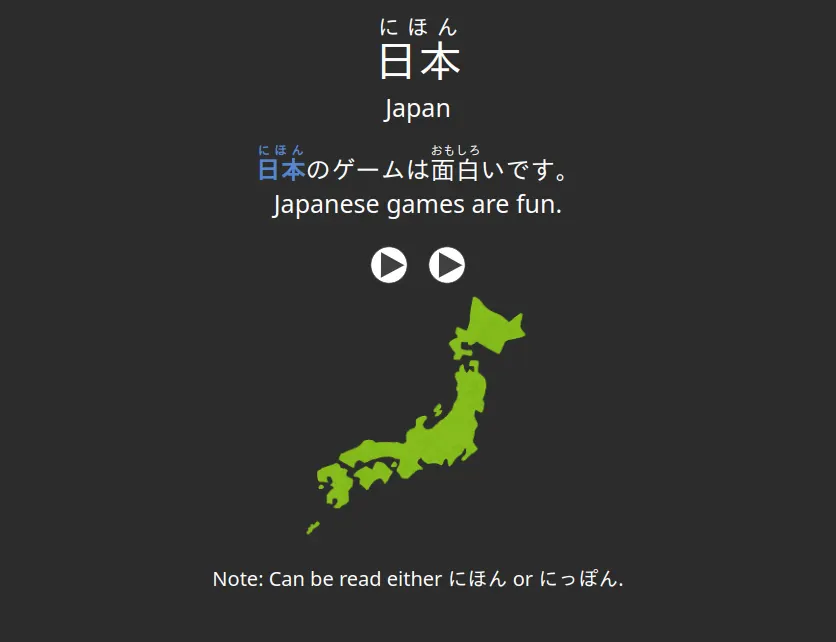
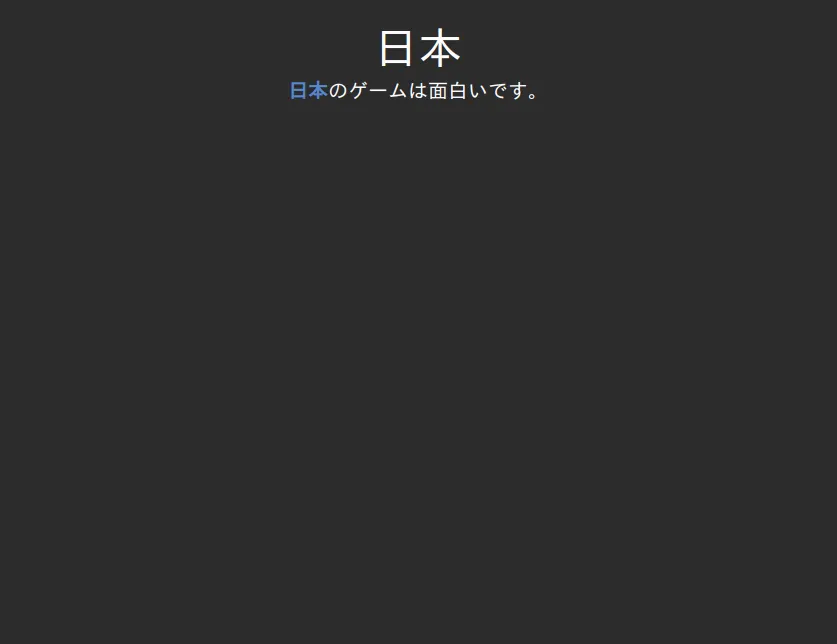
Execute the apkg file after download and click "Import"!
Delete the first and explanatory card of the deck by clicking "More" in the bottom right when reviewing
Settings
Optimize Anki settings for Japanese learning
Create an account
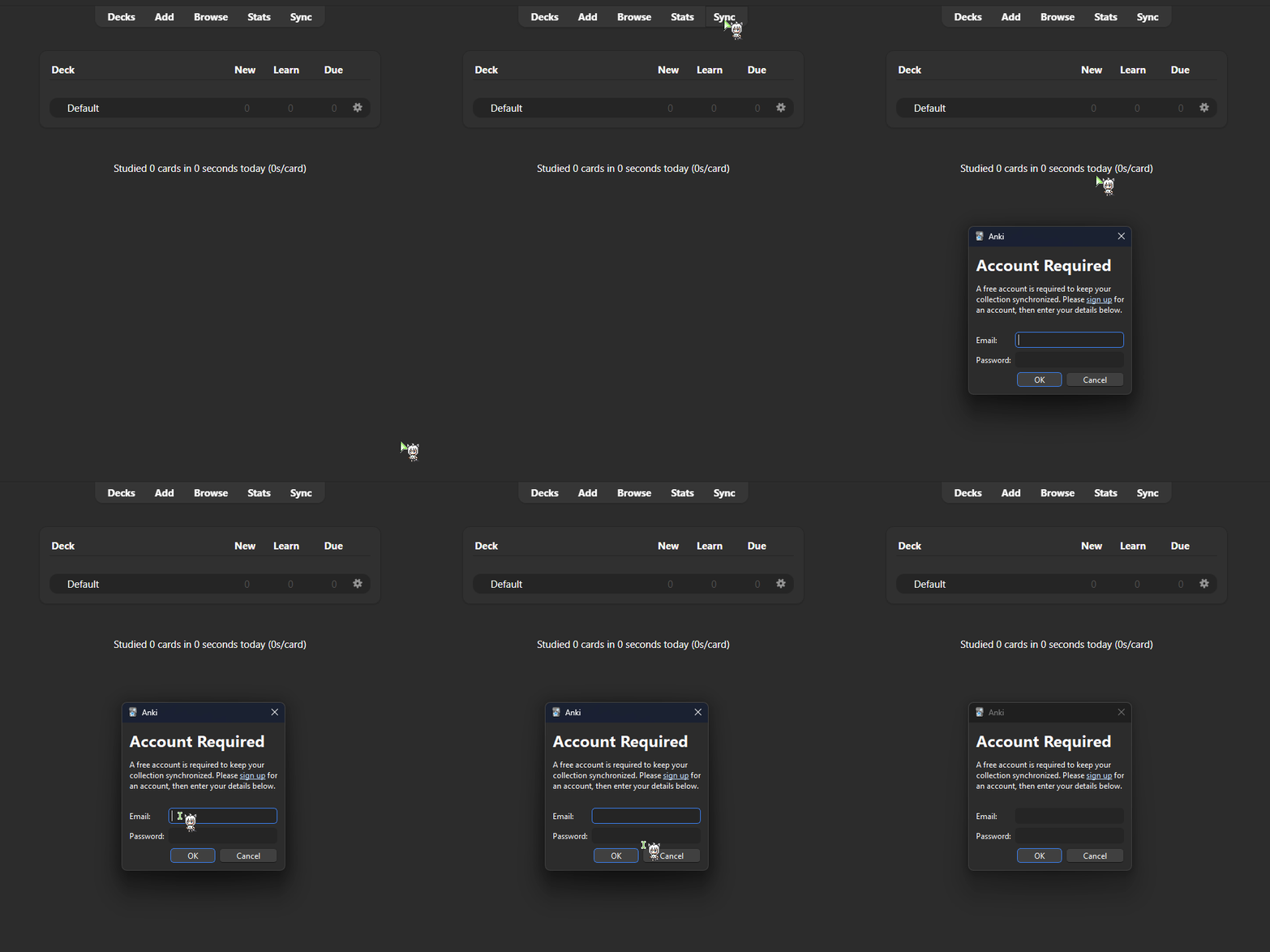
Click the Sync button and create an account, this will sync your decks through all your devices
After sync is ready, access the deck settings by clicking on the gear icon!
Deck and Preferences Settings
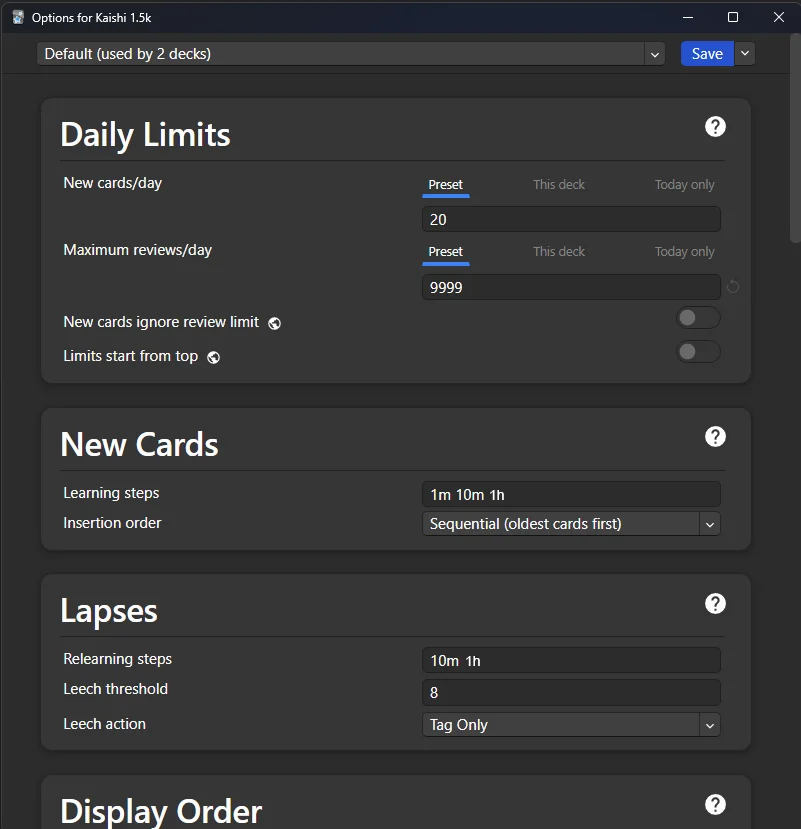
New cards: between 10 and 30 is recommended!
Maximum reviews: 9999 (so all reviews available are shown)
Remember that reviews increase over time and it's important to be consistent, go at your own pace!
Represents the interval and amount of times you will see a card in a review session until you finish seeing it for the day
1m 10m 1h is our recommendation
More Learning Steps can slightly increase retention but will also increase time spent on Anki and decrease time available for immersion
When you forget a card you had already learned before, it will be moved to the re-learning steps. These are the intervals and amount of times you will see the card again for the day until you get it right again!
The recommendation is 10m 1h
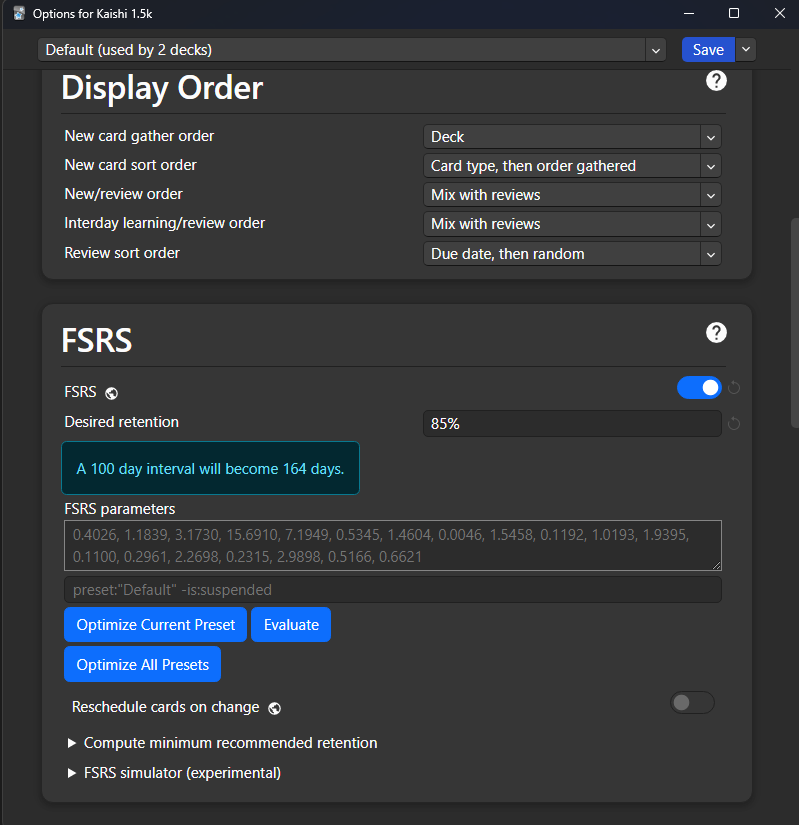
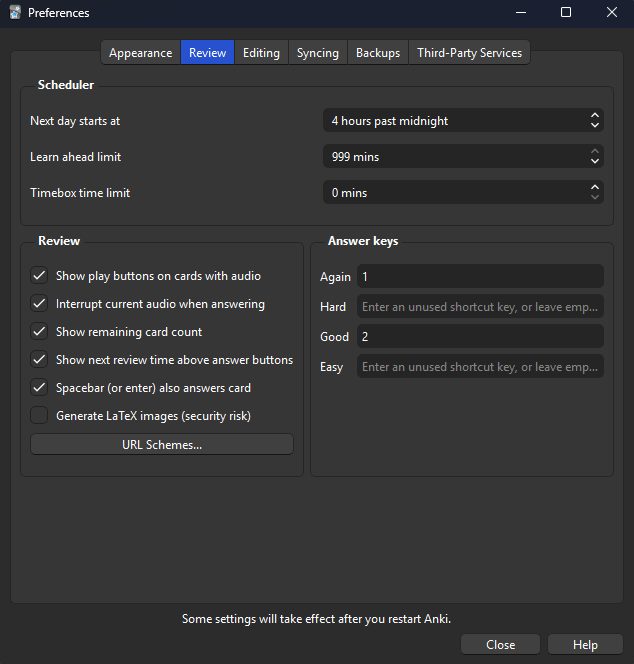
Settings not mentioned here may be brought to discussion in future stages! For now, these are the important settings to learn about~
Addons
Anki supports powerful customization and rich media support, allowing for add-on functionality for advanced features and offline accessibility. Except for "Anki Connect", the following addons are not mandatory but may make your experience with Anki more enjoyable!
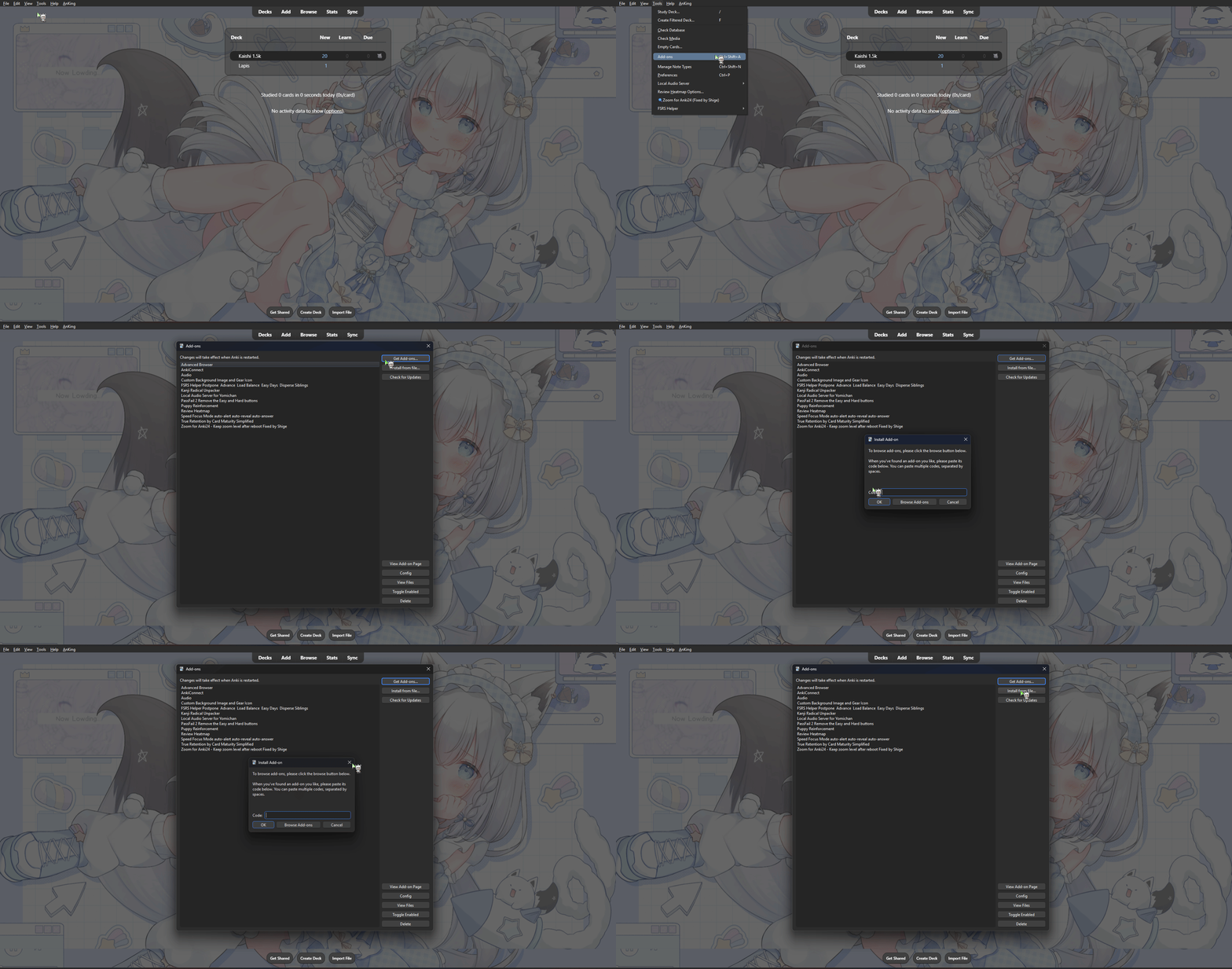
Open Anki → Tools → Add-ons → Get Add-ons → paste the code of the addons and then restart Anki
Anki Connect
Most important addon for Anki, it allows you to connect Anki to other apps and services
Code: 2055492159
Heatmap
Visual calendar showing your study consistency with color-coded heatmap. Track streaks and boost your motivation!
Code: 1771074083
Pass/Fail
Simplified review interface with just Pass/Fail buttons. Reduces decision fatigue and speeds up reviews
Code: 876946123
Background
Allows you to set custom background images for your Anki, customize it as you like!
Code: 1210908941
天・Leaderboard
Do Anki together, get to maintain a streak, see other members' Anki activity and also share your own~
How To Use
Now that everything is set, it's important to do Anki consistently, learn new cards and do reviews every day. Just click on the deck name and on "Study now" button to start doing Anki (≧▽≦)
Tips
- Consistency > Intensity
- Don't spend much time on a single card, if you can't remember it in 10 seconds, reveal the answer and press Again
- Anki should not be treated as the main source of learning/aquiring words. Immersion is the main actor that will make you learn Japanese while Anki is a valuable side companion that is meant to efficiently help you in making immersion easier. If you would have to pick/prioritize only one, choose Immersion. - RTR2
- Immersion makes doing Anki a smoother experience. Many beginners hesitate starting immersion because they don't know how it works or what to immerse in. Read our Immersion Guide to find the answers to these questions.
Understanding Card Grading
When you review a card in Anki, you'll be asked to rate how well you remembered it. Your rating determines when you'll see the card again. With FSRS (Free Spaced Repetition Scheduler) enabled, Anki will intelligently adjust intervals based on your performance.
Grade cards only through
Again
You couldn't recall the answer correctly. The card will be shown again soon in the same study session and FSRS will show you that card more often in the following days.
Good
You recalled the reading and meaning of the word correctly! by keeping to do so, soon that card will graduate for the day. Each time you remember the word correctly in the next days, the less frequently FSRS will show you that word.
This applies only to the Kaishi 1.5k deck, other decks such as Kanken or mining decks may have different ways of grading
Important
Kaishi or Anki alone won’t make you better at Japanese!! Priming grammar —and most importantly, immersing yourself in the language and consuming native content— are essential for progressing in your learning journey
Back to Guide