
Website
Jiten
A free, open-source platform for Japanese immersion learners. Jiten offers detailed statistics for thousands of Japanese media such as character count and difficulty, pre-built anki decks, vocabulary lists, frequency lists, user coverage, and more.
- Website
Shared by 天 Staff
Published ·Updated
Details
A guide for jumpstarting your Jiten Coverage
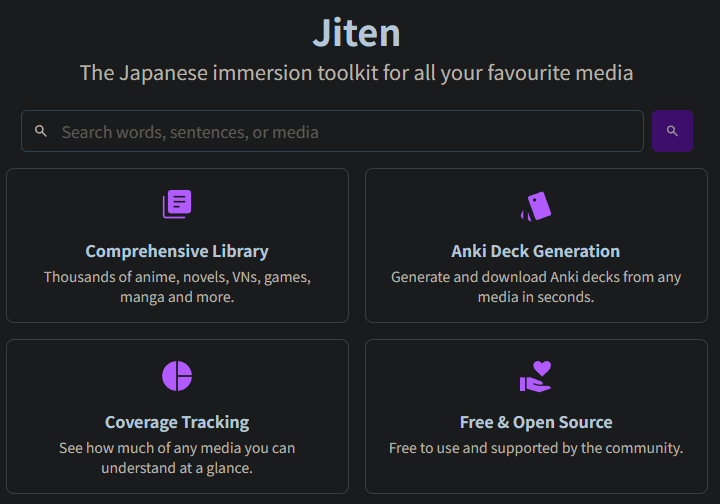
Comprehensive Library
Thousands of anime, novels, VNs, games, manga and more.
Anki Deck Generation
Generate and download Anki decks from any media in seconds.
Coverage Tracking
See how much of any media you can understand at a glance.
Free & Open Source
Free to use and supported by the community.
Releases & Changes
User difficulty ratings
- You can now rate media difficulties to help adjust the difficulty scores. This is done by: completing decks and filling the pop-up, or going to the Ratings page for your already completed media. There's 2 types of votes:
- Absolute rating, where you think this should be on the scale from Beginner to Expert (this has low influence but it's quick to do)
- Comparisons between media you have finished, saying which one is harder than the other
- Media now show the adjusted difficulty when there's user votes, but you can see the algorithmic score independently in the tooltip
- Media can be compared across different types, but with a lower weight
Please go rate the media you have finished now to help adjust the scores!
- Audio-visual media now feature a speech duration and speech speed, big thanks to [Jarret Ye]() for the implementation! This reflect only the amount of time characters are actually speaking (based on subtitles) instead of the show duration. You can filter and order by both those new metrics.
- Marking a subdeck as completed or ongoing will now reflect in the parent status, mark all of them as completed will mark the parent completed as well
- Added word or definition search to all vocabulary pages
- Added the possibility to blacklist a word from the vocabulary pages
- Added the ability to edit the description and comments in requests
- Added a sort by last completed option for requests
- Dozens of parser fixes, better recognition of expressions, please update your frequency dictionaries
- Fixed the form percentage using the raw count instead of the adjusted one leading to sometimes weird results
- Fixed a bug where the definition orders would not be deterministic in downloaded decks and jiten reader
Media requests & notifications
- Added a new media request page that should now be used for all your media request. You can provide file upload (epub, mokuro, zip, txt, etc) in the comments after making a new request. You can upvote request, contribute to other's, your contributions are tracked, etc
- Added notifications, they are only used for media request completion for now. You can subscribe to a media request to also receive a notification when it's fulfilled.
- Lots of parser fixes and changes with hard and soft rules, confidence and better resegmentation, scoring rules, etc. You should see better results overall, but there's still improvements to be made. Make sure to update your frequency dictionaries
- Added audio media decks (drama CD, etc)
- Added Bookmeter as a metadata provider, you'll now see some Bookmeter and Amazon link (sadly, those have little metadata)
- Various fixes for the search, tries to detect if you're typing in english or romaji better, fix for full-width latin characters
- Fixed the small buttons of subdecks on mobile being vertical instead of horizontal
- Optimised the loading times of vocabulary entries (very visible when switching between multiple words in the omnisearch / parse page)
- Other small various bug fixes and optimisations
Custom dictionary import & dictionary features
- You can now import your Yomitan dictionaries. It stays entirely local in your browser and is used to supplement or replace definitions on the website, as well as when you download an Anki deck
1. You can change the mode, for example displaying the default English dictionary only when there's no entry in your custom dictionary using the Fallback mode
2. The dictionaries formatting is preserved, which can look good or bad depending on the dictionary, but it's kinda the best I can do since they all have different formats
3. If you would like to see other formats supported, please tell me which, and why
- Added dictionary-like search functions
1. You can now search in the omnisearch using **wildcards * to find words that begin or end** with your input
2. You can now search through definitions using plain English
3. If there are multiple words results, they will be now shown under direct matches
4. All those entries have a quick definition and the rank, and you can click them at any time to expand them
- Updated Lapis to the latest version and remove the inline style for easier customisability
- Search now normalise romaji input (i.e. you can search tukutori for tsukutori) and try to find close matches if there's no results (if you made a typo)
- Fixed the download dialog showing the wrong number of words when selecting the occurrence dictionary download type
- CSV frequency lists now feature the forms frequency just like the Yomitan dictionary
JMDict & parser update
- Updated JMDict to the latest version => the process to update it easily is in place, I'll start with once a month then go down to once a week once I'm sure everything is stable
- Enhanced the parser by making better use of the tags JMDict offers and the readings from sudachi as well as better handling of compounds and other improvements => all decks have been reparsed, be sure to upgrade your frequency dictionaries too!
- The parser now tries to infer which words are names by using honorifics and use the name for all instances in the deck
- The vocabulary entries on the website have been enhanced with dialects tags, fields tags (computing, medical...) as well as descriptions restricted by reading that appears grayed out if they don't correspond to the selected reading
- You can now set your FSRS parameters in the settings (taking them from anki for example), thanks StayBlue for the PR!
- Added a media list filter to find all the media you have no status on
- Added an option for the website theme to follow the system theme (on by default)
- Made the preview card count much more accurate when downloading a deck
- Fixed a bug where the word sets were not taken into account when downloading a deck
- Fixed a bug where names would never appear in example sentences